Launch filmReviewMaya
Product close-upsDoingSam
Founder storyTo doMaya
Who’s making what? It’s right here.
One simple task list for the work around your videos. Clear owners, due dates and the next step.
For the people making the videos.
 FINAL_VIDEO.mp4 without losing your mind.
The cut, the feedback, the files, the conversation. Bring your team’s work together, from the first brief to the final yes.
Start your free Pro trial14 days free · Up to 5 team members · No card required
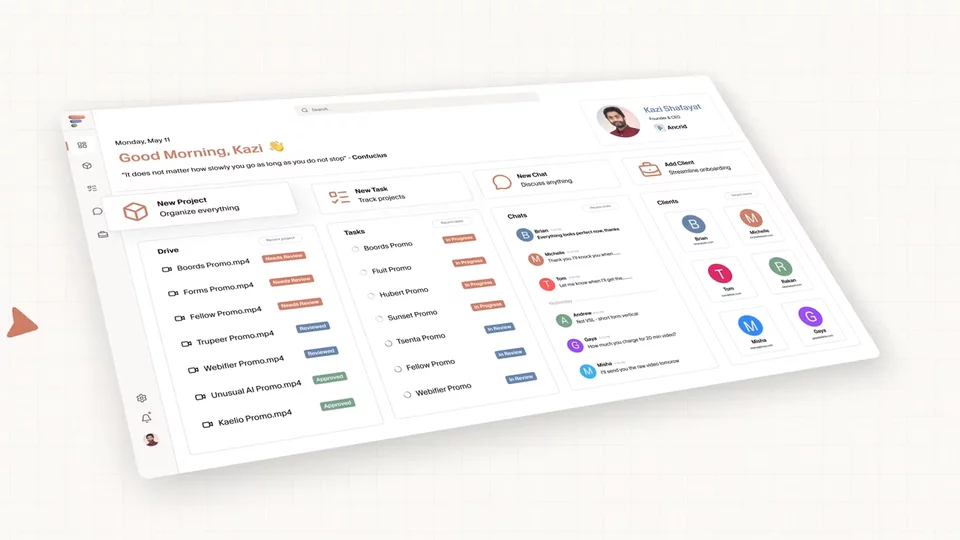 See how Fluit worksProduct walkthrough
The walkthrough is coming soon. You can explore the project below now.
This is interactive. Open any section.




Review here. Tasks there. Files in a folder. Feedback in a chat.
Fluit keeps the useful things together, so your team can get on with it.
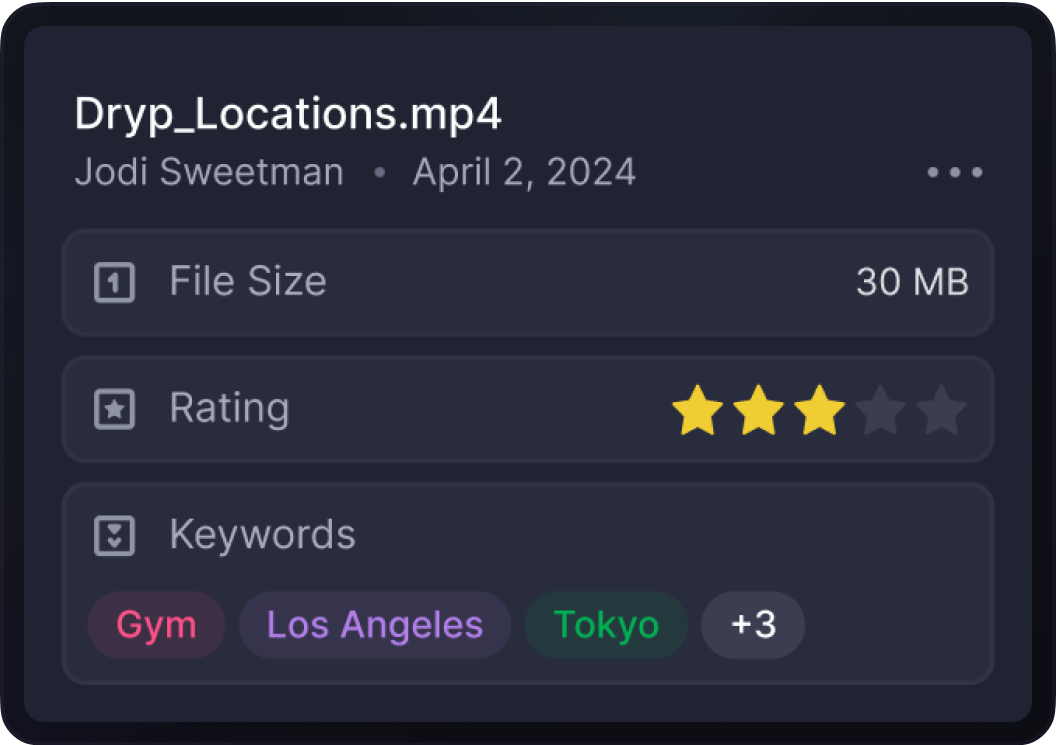
Watch the cut. Leave a timestamped comment. Keep versions together. Send the client one link to request changes or approve.
Clients review free. No account needed.

One simple task list for the work around your videos. Clear owners, due dates and the next step.
Footage, brand assets, audio, references and finals. Keep the material close to the people using it.
MayaV2 is up. The opening is tighter.
KaziLove it. Sending this version for review.
Message the project…Messages, replies, mentions and attachments beside the project. Less hunting through separate conversations.
A 30-second launch film and two social cuts.
Keep the goal, deliverables and creative direction with the project. Give the team a clear place to start.
Explore three sample projects. No signup needed.
Everything for this project, right here.
Click a preview to look inside
Hi, I’m Kazi, co-founder of Fluit.
For the past five years, I’ve been running a video marketing agency called Ancrid. We’ve edited thousands of videos, but behind every project, we were juggling six or seven different tools. It felt like we were spending too much time keeping track of work and too little time making videos.
I shared that frustration with my co-founder, Pial. We immediately clicked and decided that video teams need one workspace built around how they actually work. And that’s how Fluit started.
Fluit helps video teams manage projects from the client brief to the final video. Each project has its own space to review cuts, assign tasks, organize files, and chat with your team. Everyone can see what needs to be done, what’s waiting for feedback, and what’s ready to deliver.
We’ve been using Fluit at Ancrid for the past six months. It’s made our day-to-day work easier to manage, and that’s what we want for other video teams too.
If you run a production studio, ad agency, or video agency, you don’t have to move everything over at once. Start with your next client project and see how Fluit fits the way your team works.

Co-founder, Fluit
Give us one current project. We’ll personally help set it up.
If your team doesn’t prefer working here, don’t continue.
Keep your current tools. Start with one project.
Ask the founders to help →The same core tools on every plan. Clients review free.
For a small crew working together.
14 days free on Solo or Pro. No card required. Monthly pricing in USD. Applicable taxes shown at checkout.
A compact video project workspace for small teams. Brief the job, track the work, share the files, review every cut and discuss the project in one place.
No. Send a review link so clients can comment and approve without creating a Fluit account. Clients and reviewers do not use paid internal seats.
No. Keep your current tools and run one real project on Fluit. Your first 14 days are free, with no credit card required.
All plans include projects, briefs, tasks, files, video review, versions and project chat. Choose based on your internal team size, storage and active projects.
Solo is $11.99/month for 1 member and 5 active projects. Pro is $24.99 for 5 members and 10 active projects. Team is $49.99 for 20 members and 20 active projects. Studio is $99.99 for 50 members and unlimited active projects. Clients review free on every plan.
Yes. Give us one current project and we will personally help set it up. Contact us through the site and tell us what your team is making.
14 days free · no credit card · clients review free
Hold this shot a little longer.
Maya · Updated in V2